


Qibla Finder - Qibla Direction
4.474.00 Reviews
App Specs
- Version
- 1.5.9
- Updated On
- License
- Free
- Downloads
- 5,000,000+
- Developer
- Firehawk
- Categories
- Maps & Navigation
- Platform
- Android
Screenshots
 Analysis by AppCompare
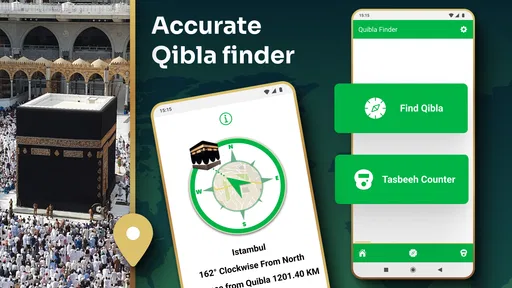
When I arrive somewhere unfamiliar and want to orient myself for prayer, I value a tool that gets me to a useful answer without turning the moment into a setup project. Qibla Finder is built around that simple need: it helps me find the direction of the Qibla and also covers Salah timings. In my experience, its appeal is less about doing everything a map app can do and more about giving a focused answer when I need one.
What to expect when you open it
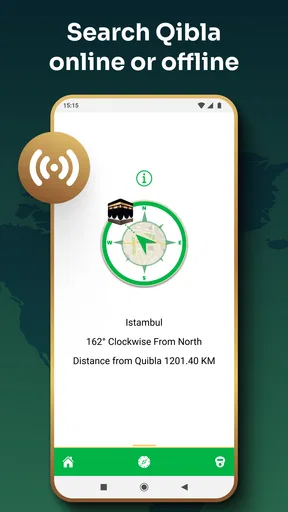
The first few seconds are straightforward: the app needs your location so it can work out a direction from where you are. Once location access is allowed, you can look for the indicated bearing rather than searching through a map or calculating a route. That is useful in a hotel room, a relative’s home, or a public place where I would rather get oriented quietly than open a full navigation app.
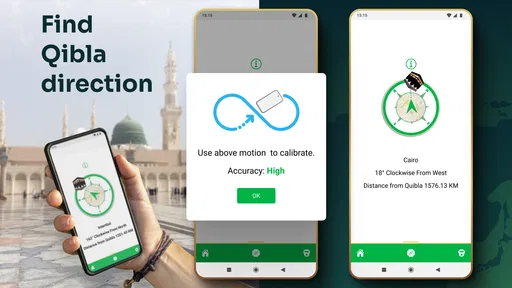
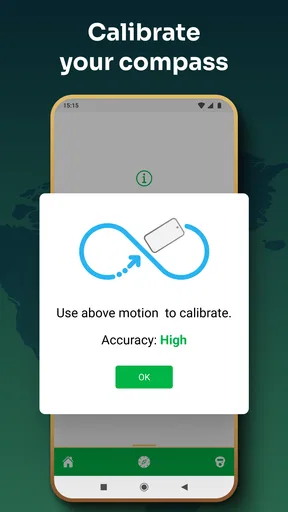
There is a practical distinction between a quick result and a dependable one. A digital compass depends on the phone’s location and orientation behaving well, so I would treat the first reading as a starting point, especially if I have just moved or changed how I am holding the device. I take a moment to hold the phone steadily and check that the direction settles before relying on it. That small pause is more helpful than repeatedly reopening the app.
Speed without confusing it with certainty
The app’s focused purpose makes it feel quick to get to the main task: there is no need to enter a destination or plan a journey first. Still, a fast display is not the same as a perfect compass reading. If the phone has not settled on its orientation, the arrow or direction can be less useful until I adjust my position and give it a moment. I prefer that measured approach to treating any compass app as infallible.
For a time-sensitive moment, I would open it before I am rushed, confirm that it has a usable location, and then take a steady reading. That workflow is particularly sensible when arriving somewhere new: check the direction while unpacking or before settling into a room, rather than waiting until the last minute. It keeps the app’s speed advantage while allowing time to correct a confusing reading.
Using it in everyday places
Ever found yourself in a new city, looking for the right direction to pray? Yup, been there! Luckily, the Qibla Finder app has got your back. Let me share my experience with this nifty little app that’s made it easier than ever to find the Qibla direction.
First Impressions and Ease of Use
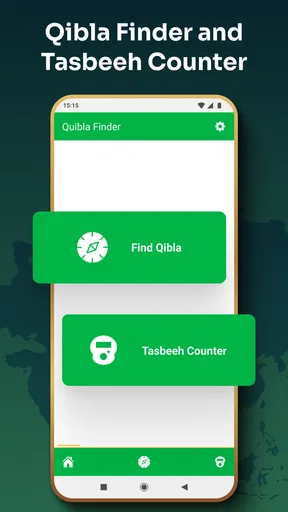
When I first opened the Qibla Finder, I was greeted with a clean and straightforward interface. No clutter, no unnecessary frills—just a simple layout that gets straight to the point. You know an app is doing something right when you don't have to fumble around to work out how to use it.
Worth Reading Before You Choose

EA SPORTS FC Mobile 26 Is a Bigger Football Game, but It Takes Time

Flipboard Shows What News Apps Must Do Beyond the Feed

Switching to Android Auto Means Rethinking Your Driving Routine

Google Calendar Makes a Crowded Week Easier to Manage

Ludo King Makes the Most of the Minutes Between Plans

Baby Panda World Brings Quick Play to Modern Phones, but Its Game Library Feels Busy
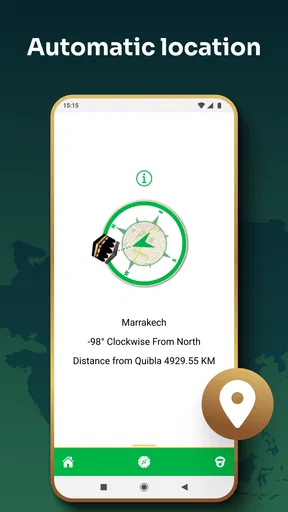
Setting it up was a breeze. It quickly asked for location permissions, which makes perfect sense since it needs to determine your current position to point you in the right direction. Once you grant that, you're basically good to go. The app immediately locks onto your location and displays the Qibla direction. Talk about efficiency!
Features That Stand Out
What really sets this app apart is its accuracy and reliability. It uses GPS technology to ensure that you’re always getting the most precise direction. Even when you're on the move, it updates in real-time, so there's no need to worry about being off course.
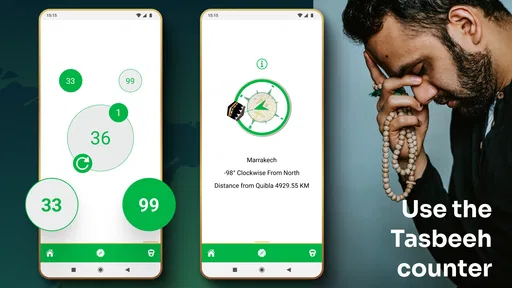
Another neat feature is the compass mode. If you're like me and love the idea of a real compass, you’ll find this feature super cool. It’s as if you’re holding a mini compass in your hand, except it’s digital and doesn’t require any manual adjustment.
When the setting changes
A familiar location is an easy place to check a direction, but travel is where this kind of tool earns its place. I might arrive at a station, head to a different building, or move between rooms in a large hotel. Rather than assuming the orientation I used earlier still applies, I can check again from the place where I plan to pray. That is a useful habit when a journey has involved several stops.
For a realistic travel routine, I would open the app after reaching the room, wait until the location is ready, and then hold the phone steady away from obvious sources of distraction. I would use the indicated direction to choose a suitable spot, then put the phone down instead of continuing to watch the compass. The point is to make orientation a short part of arriving, not another task to manage throughout the day.
Usability in Different Environments
The app works remarkably well in both urban and rural settings. I tested it out in a crowded city center and later in a more remote village, and I was impressed by how accurately it worked in both scenarios. The Qibla Finder doesn’t get thrown off by tall buildings or open fields, which is a huge plus.
Plus, it doesn't need an internet connection once it's set up. This means you can use it even when you're off the grid, which is perfect when you’re traveling or in areas with patchy internet service.
When it is doing several jobs
The Qibla direction is the main reason I would keep this app close, while Salah timings make it more useful as part of a daily routine. Those two needs often come together during a busy day: I may be away from home, need to orient myself, and also want a reminder that helps me keep track of prayer time. Keeping both in one focused app can be simpler than switching between a direction tool and a separate reminder.
There is a trade-off, though. If I already rely on another prayer-time app for a routine I have carefully configured, adding a second source of reminders can create needless overlap. I would decide which app I want to be my main timing reference and avoid setting duplicate alerts. If I mainly need directions and only occasionally need timing help, I can treat the extra function as a convenience rather than rebuilding my whole routine around it.
Customizable Options
One of the things I appreciated was the option to customize the app according to personal preferences. You can choose from different themes and settings, which adds a nice touch of personalization. It’s these small details that make the app feel more tailored and user-friendly.
The app also allows you to set notifications for prayer times, so you’re always reminded when it’s time to pray. This feature is particularly useful for those with busy schedules who might need a subtle nudge now and then.
Where it fits among alternatives
Compared with using a general maps app, this is a more direct choice when I only need a prayer direction. Maps are better when I need streets, routes, or a landmark to navigate toward; they can show where I am, but that is not the same as giving a purpose-built compass view. A dedicated physical compass is another option, but it asks me to carry and interpret a separate item. This app is convenient when my phone is already with me, though I would not mistake convenience for a reason to discard a trusted backup when one matters.
It is best suited to someone who wants a simple direction check while traveling, moving around town, or praying somewhere other than home. It is less compelling for a person who wants turn-by-turn navigation, detailed offline maps, or one comprehensive planner with many daily tools. Those needs point toward a navigation or broader prayer app instead. I would also recommend checking the indicated direction calmly rather than making a hurried decision from an unsettled reading.
Reliability and practical limits
For ordinary use, the app’s focused design is a strength: I can open it for a specific reason and leave once I have oriented myself. Reliability still depends on the phone’s location and compass behavior, so I would not assume that every quick reading is equally trustworthy in every setting. If a direction seems to shift unexpectedly, I would pause, hold the device still, and recheck from a stable position rather than treating the first result as final.
The app is not a replacement for a map when I am trying to get somewhere, and an offline direction check should not be confused with offline route planning. That distinction matters on a trip: I can use it for orientation without expecting it to guide me through streets or answer broader travel questions. Knowing what it is for makes the experience more dependable and avoids expecting one small tool to cover every navigation need.
Compatibility, cost, and who should try it
Firehawk’s app is free to download, is rated for Everyone, and supports Android devices running version 5.0 or later. It has a 4.4 average from around 35 thousand ratings and has been installed over 5 million times. The current version is 1.5.9, and optional in-app purchases range from $0.99 to $99.99 per item, so I would look at any purchase details before confirming one rather than assuming every part of the experience is included at no cost.
That broad Android compatibility makes it a reasonable option for people using older devices, although I would still keep the phone’s software and location settings in mind when troubleshooting. If a reading does not look right, first check that location access is available and that the phone is being held steadily; restarting immediately may not solve an orientation issue. If the device itself has unreliable compass behavior, a separate physical compass or another trusted method may be the better fallback.
Final Thoughts
Overall, Qibla Finder is a solid app for anyone looking to ensure they’re praying in the right direction, no matter where they are. Its accuracy, intuitive interface, and handy features make it a must-have for travelers and those constantly on the go.
It’s small, it’s efficient, and most importantly, it does exactly what it promises. If you’re searching for a reliable Qibla direction app, give this one a try. You might just find it as indispensable as I did!
Pros
- Accurate and reliable Qibla direction.
- User-friendly interface for easy navigation.
- Works offline without internet connection.
- Customizable compass themes available.
- Supports multiple languages for global use.
Cons
- Contains in-app ads that can be intrusive.
- Limited features in the free version.
- Occasional bugs with older devices.
- Battery consumption is slightly high.
- Requires location permissions to function.
FAQs for Qibla Finder - Qibla Direction
What is the primary function of the Qibla Finder app?
The Qibla Finder app is designed to help Muslims determine the direction of the Kaaba in Mecca, which is essential for performing prayers. Using GPS technology, the app accurately points users towards the Qibla, ensuring they can pray in the correct direction no matter where they are in the world.
Does the Qibla Finder app require an internet connection to function?
The Qibla Finder app primarily uses GPS to determine your location and the direction of the Qibla, so it doesn’t always require an internet connection. However, some features, like map views or additional resources, might need internet access for updates or detailed information.
Is the Qibla Finder app available for both Android and iOS devices?
Yes, the Qibla Finder app is available for download on both Android and iOS platforms. Users can find it in the Google Play Store for Android devices and the Apple App Store for iOS devices, ensuring wide accessibility for all smartphone users.
Can I use the Qibla Finder app indoors?
While the Qibla Finder app is designed to work both indoors and outdoors, its accuracy can be affected by obstacles like walls or ceilings. For the best results, it’s recommended to use the app near a window or in an open space to ensure a clear GPS signal and precise direction.
Are there any additional features included in the Qibla Finder app?
Apart from showing the Qibla direction, the app often includes additional features such as prayer times, Islamic calendar, and reminders for daily prayers. These features enhance the user experience by providing a comprehensive tool for daily religious practices.


